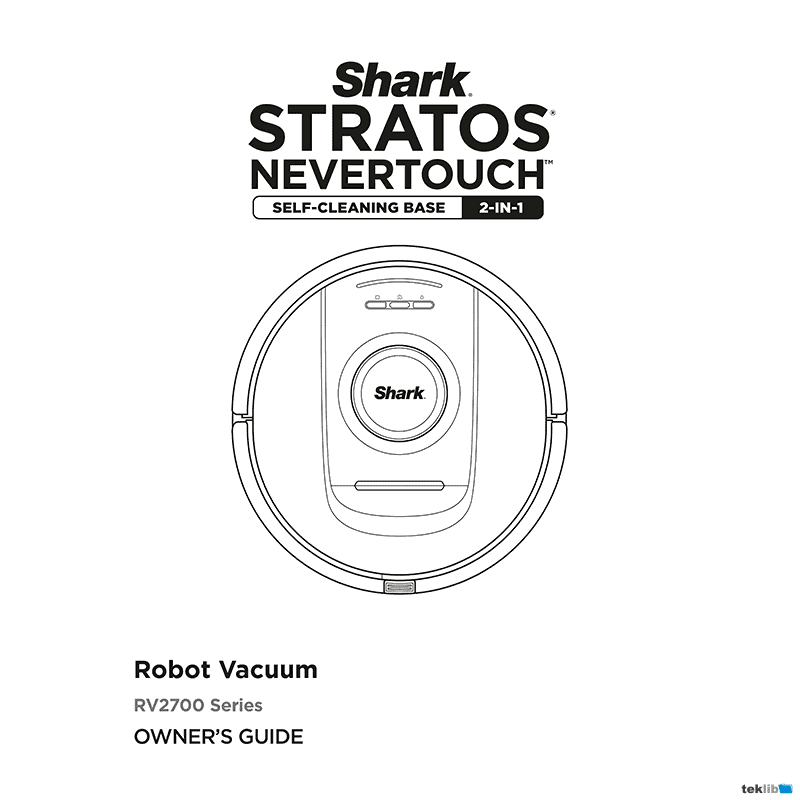
Shark Stratos NeverTouch Robot Vacuum RV2872ZEUS Owner’s Guide
Download PDF user manual for SharkNinja Operating / SHARK Stratos NeverTouch RV2700-series 2-in-1 Robot Vacuum Model: RV2872ZEUS (EN) 78+1 pages Mv2, Mv4, Mv5, Mv7 2025 zip
Description
This PDF user manual is for the Shark Stratos NeverTouch robot vacuum model: RV2872ZEUS.
About the Item
Shark Stratos NeverTouch RV2700-series 2-in-1 Robot Vacuum Model: RV2872ZEUS (with self-cleaning base)
EXPECTED PERFORMANCE
Expected runtime: 60 minutes
Expected charging time: 6 hours
This Owner’s Guide is designed to help you keep your Shark Detect Pro robot running at peak performance.
Please read carefully before use. Save these instructions.
Document(s) available
(PDF) OWNER’S GUIDE
Available languages
ENGLISH (EN)
SUMMARY OF CONTENTS
IMPORTANT SAFETY INSTRUCTIONS
– Laser warning
– General warnings
– Use warnings
– Battery use
WHAT’S INCLUDED
SET-UP YOUR SHARK ROBOT & NEVERTOUCH BASE
HOW TO DOWNLOAD SHARKCLEAN APP
GETTING TO KNOW YOUR SHARK ROBOT
– Robot top view
– Robot bottom view
– Robot parts
– Shark Stratos NeverTouch Base front view
– Nevertouch Pro Base back view
– Nevertouch Pro Base
LIVING WITH YOUR ROBOT
HOW TO PREPARE YOUR HOME
ROBOT BASE SET-UP
– Installing the side brush
– Installing the odor neutralizer technology
ROBOT INDICATOR LIGHTS
– Low Battery
– Charging
– DirtDetect
– ActiveLift
CHARGING
ROBOT BUTTONS
– Dry Clean Button
– Wet Clean Button
– Dock Button
– Recharge & Resume
USING THE SHARK STRATOS
USING THE SHARKCLEAN APP AND VOICE CONTROLS
– Setting up voice control with the Google Assistant or Amazon Alexa
– Wi-Fi troubleshooting
– Still can’t connect?
ERROR CODE
– Left LED (Yellow) flashing
– Left LED (Yellow) + Right LED (Yellow) flashing
– Notification LED (Red) + WiFi LED (Red) flashing
WI-FI TROUBLESHOOTING
– How do I use my robot with Amazon Alexa?
– How do I set up my robot with the Google Assistant on an Apple device?
– How do I set up my robot with the Google Assistant on Android?
– What should I do if my Wi-Fi randomly disconnects?
– What should I do if I verified a wireless network password that is incorrect?
– What should I do if my username or password is invalid?
– What should I do if there is an issue resetting password (did not receive the email or token was invalid)?
– What should I do if my Shark robot won’t connect to Wi-Fi or loses Wi-Fi connectivity?
3D SENSOR AND AI LASER NAVIGATION
MANUAL CLEANING MODE
VACUUM + MOP MODE
MAINTENANCE
– Maintaining the base dust bin
– Cleaning and replacing the base filters
– Cleaning the pad plate tray
– Odor Neutralizer Technology
– Manual Robot Interactions
– Filling the robot water tank
– Pad plate removal & reinstallation
– Emptying the robot dust bin
– Maintaining the water tank
– Cleaning the base ramp
– Cleaning and replacing the mop pad
– Cleaning the water inlets
– Cleaning the robot filter
– Cleaning the side brush
– Cleaning the sensors
– Cleaning the base charging contacts
– Brushroll
– Lidar module
– Cleaning the wheels
– Cleaning the DirtDetect sensors
UNDERSTANDING THE ROBOT USER INTERFACE
If any lights are illuminated or flashing on your robot, refer to the chart included to understand why.
COMMON ERROR CODES LIST
REPLACEMENT PARTS
– How to order replacement parts
HOW TO CONTACT SHARK
WARRANTY
– What is covered by this warranty?
– What is not covered by this warranty?
– How to get service
(PDF) QUICK START GUIDE for SHARK STRATOS NEVERTOUCH 2-IN-1 ROBOT VACUUM
SUMMARY OF CONTENTS
1 page Mv2 / Mv4 / Mv7 2025
– What’s in the box
– Setting up your robot
Why download the Manual?
This user manual provides all the information from SHARK about the Stratos NeverTouch model RV2872ZEUS robot vacuum, as detailed in the table of contents. Reading it completely will address most questions you might have. You can download and save it for offline use, including viewing it on your device or printing it for your convenience if you prefer a paper version.
How to download the Manual?
Download it by clicking the button below
Helped you out?
Glad to hear that. It would be awesome if you could . . .