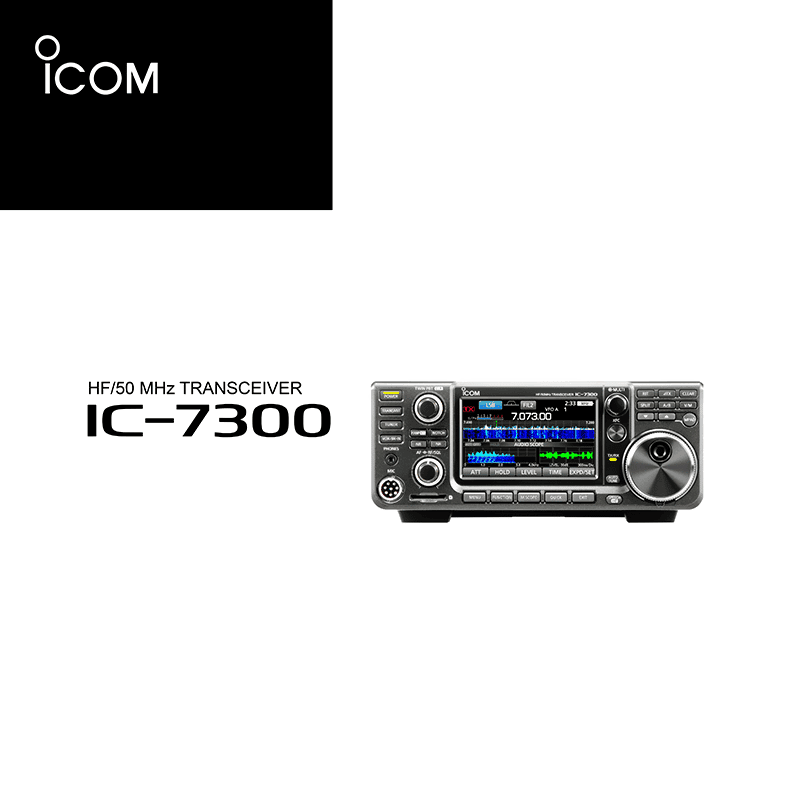
Icom IC-7300 Transceiver Manual
Download PDF user and service manuals for Icom IC-7300 HF/50MHz Transceiver (EN|ES|FR|DE|IT|PT) 3+10+12+13+17+69+72+74+75+80+118+173+174+180+292 pages A7292, A7292H, A7093 2013, 2016, 2017, 2018, 2019, 2021, 2024, 2025 zip
Description
These PDF instruction and service manuals are for the Icom IC-7300 transceiver.
About the Item
Icom IC-7300 HF/50MHz Transceiver
The IC-7300 HF/50 MHz transceiver is designed and built with Icom’s state of the art technology and craftsmanship. With proper care, this product should provide you with years of trouble-free operation. We appreciate you making the IC-7300 your transceiver of choice, and hope you agree with Icom’s philosophy of “technology first.” Many hours of research and development went into the design of your IC-7300.
Read all instructions carefully completely before using the transceiver.
Save this instruction manual – This instruction manual contains basic operating instructions for the IC-7300. For full operating instructions, see the Full Manual.
Document(s) available
(PDF) ICOM IC-7300 BASIC MANUAL
Available languages
ENGLISH (EN) | ESPAÑOL (ES) | FRANÇAIS (FR) | DEUTSCH (DE) | ITALIANO (IT) | PORTUGUÊS (PT)
SUMMARY OF CONTENTS
1. Panel Description
2. Installation And Connections
3. Basic Operation
4. Receiving And Transmitting
5. Scope Operation
6. Using an SD Card
7. Antenna Tuner Operation
8. Set Mode
9. Maintenance
10. Specifications
11. Options
12. Connector Information
(PDF ) ICOM IC-7300 FULL MANUAL
SUMMARY OF CONTENTS
Read all instructions carefully completely before using the transceiver.
Save this instruction manual – This instruction manual contains full operating instructions for the IC-7300.
– Introduction
1. Panel Description
2. Installation And Connections
3. Basic Operation
4. Receiving And Transmitting
5. Scope Operation
6. Voice Recorder Functions
7. Voice TX Memory Operation
8. Using an SD Card
9. Memory Operation
10. Scans
11. Antenna Tuner Operation
12. Set Mode
13. Other Functions
14. Maintenance
15. Updating The Firmware
16. Specifications
17. Options
18. Connector Information
19. Control Command
(PDF ) ICOM IC-7300 SERVICE MANUAL
SUMMARY OF CONTENTS
75 pages S-15218XZ-C1 2016
This service manual describes the latest technical information for the IC-7300 HF/50 MHz transceiver, at the time of publication.
SECTION 1. SPECIFICATIONS
SECTION 2. INSIDE VIEWS
SECTION 3. CIRCUIT DESCRIPTION
3-1. PA Unit
3-2. RF Unit
3-3. Main Unit
SECTION 4. ADJUSTMENT PROCEDURE
4-1. Preparation
4-2. Receive Adjustments
4-3. TX Idling Current Adjustments
4-4. TX Power Adjustments
4-5. TX Amplifier Adjustments
4-6. Frequency Adjustments
SECTION 5. PARTS LIST
SECTION 6. MECHANICAL PARTS
SECTION 7. BOARD LAYOUTS
SECTION 8. GENERAL WIRING
SECTION 9. BLOCK DIAGRAM
SECTION 10. SCHEMATIC DIAGRAM
(PDF) ICOM USB DRIVER INSTALLATION GUIDE
SUMMARY OF CONTENTS
10 pages A7093-1EX-3 2013-2021
USB 3.0 Supported
You can set up an Icom radio by connecting it to a PC through a USB cable.
Please read this installation guide before installing the USB driver.
The descriptions in this guide are based on the following conditions:
– You have already downloaded the latest USB driver from the Icom Download Service website.
– The operating system of the PC is Windows 10 (11 and 8.1).
The installation steps or displayed dialog may differ, depending on the operating system.
1. OVERVIEW
2. PRECAUTIONS
– Before installation
– Before connecting to a PC
– Important
– After installation
– About compatible radios
3. DRIVER INSTALLATION
4. FOR YOUR REFERENCE
4-1 COM Port setting
4-2 Uninstalling the driver
4-3 Audio considerations
(PDF) INSTRUCTIONS FOR ICOM ST-4003A / ST-4003W TIME ADJUSTMENT SOFTWARE
Why download the Manual?
These instruction and service manuals provide all the information from ICOM about the model IC-7300 transceiver, as detailed in the table of contents. Reading it completely will address most questions you might have. You can download and save it for offline use, including viewing it on your device or printing it for your convenience if you prefer a paper version.
How to download the Manual?
Download it by clicking the button below
Helped you out?
Glad to hear that. It would be awesome if you could . . .